
Introduction
Well installed custom SAS cables provide a stable connection, minimizes EMI, and ensures server rack air flow remains efficient which directly affects data integrity and hardware durability. During my experience in dealing with data center upgrades, I have observed that well deployed cables have increased the uptime of the system by months, whereas poorly executed jobs result in inexplicable errors and unexpected failures. The trick lies in the fact that cabling should not be a consideration, but rather a prerequisite.
This is a full blueprint of SAS cable installation, featuring top-level best practice and descending down to step-by-step deployment, design recommendations and troubleshooting. You can be a manager of a data center trying to optimize 42U rack or an IT professional trying to wire a new RAID array, you will find practical tips on custom SAS cabling in server racks, including routing paths and post-cabling tests. Now, we can get down to the reasons as to why this matters and how to do it right.
Why Proper SAS Cable Installation Matters
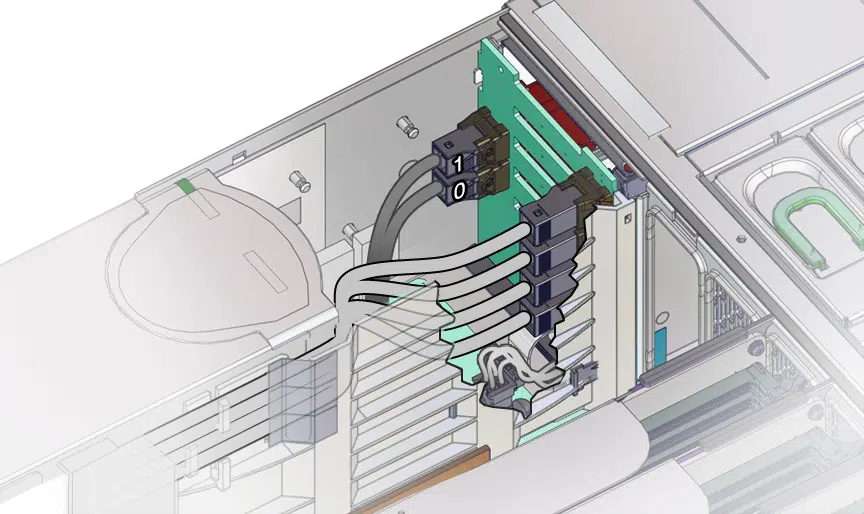
The mainstay of high-speed storage SAS cables are used to connect controllers to drives on servers and backplanes of up to 22.5 Gbps in SAS-4 configuration. Those are not wires, but instead they are the carriers of serialized data which requires immaculate signal paths to prevent a bit flip or a surge in latency. Cases of improperly managed SAS cables may lead to a cascade effect: data integrity SAS cable management due to crosstalk in bundled cables, overheating due to blocked vents, reducing the life of drives.
In a single enterprise design that I was consulted on, the complexity in the layout of server rack cables caused a 15 percent increase in rack temperatures, which made fans run to full capacity and increased power rates. Examples of risks are the errors caused by EMI in a noisy area, connector wear due to strain, and even compliance headache in the case where the cabling is below the safety standards. When done correctly, however, deployment increases reliability – more tickets to helpdesk and less trouble during expansions. In the case of data center cabling, it has to do with future-proofing your infrastructure against an ever-increasing data load.
Preparation Before Installation
The preparation is the precursor to success before handling a cable. It is a step to headaches in the future.
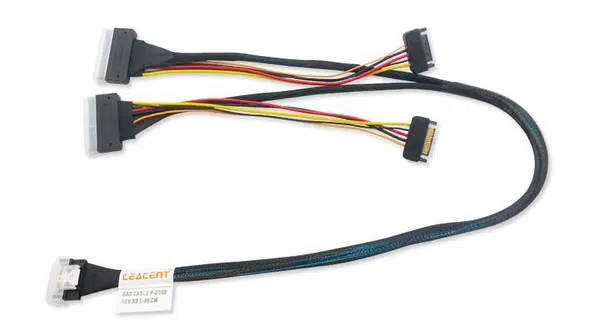
- Know the Rack Layout and Equipment Ports: Label your server rack cabling preparation by writing controller locations (e.g. on PCIe HBAs) and drive bays. Select SAS connector type — SFF-8087 used with legacy SAS-2, SFF-8643 used with 12 Gbps HD Mini SAS or SFF-8654 used with Slimline PCIe integrations. This prevents any mismatch; as an example, in an LSI-controlled Dell PowerEdge, verify that ports are used with your custom assemblies.
- Check Cable lengths and Routing Paths: Measure twice, cut once – use custom lengths to avoid slack which causes tangles or use larger lengths to avoid tension which causes pin stress. Strive to have curvy paths, with a minimum bending radius of the SAS cable being 10 times the diameter of the cable (usually 30-50mm when using 28AWG SAS). Extra loops are wasteful of space and prone to pick up EMI.
- Check Compatibility and Labeling: Triple-check SAS generation compatibility SAS-3 cables are backwards compatible but not the other way, to use without adapters. In case of SAS cable labeling, heat-shrink markers or printed tags should be used when printing. This traceability is useful when doing auditing; I have added labels on cables such as HBA1-PortA to DriveBay3 so that it can be easier to troubleshoot in multi-rack farms.
Making good preparations, such as this in SAS connector planning, reduces downtime, and your deployment guide passes effortlessly to actual install.
Installation Steps for Custom SAS Cables in Server Racks
Pre ready, and these SAS cable routing steps are followed in a systematic fashion. I have refined this procedure with dozens of installations, including small NAS units and hyperscale centers.
- Plan Cable Routing Top to Bottom or Side to Side: First align routes with airflow in the rack, which is usually front to back. In vertical racks, lay the SAS cables along side paths, in horizontal systems, rear side trays. Keep power cables and other data at least 2 inches apart to reduce EMI control SAS cables interference. This maintains trails rational and open.
- Install Cable Accessories: abandon zip ties they distort signals and prick. One should use Velcro straps, adhesive clips, or special cable tray installations of high-speed cables instead, to guide compliance. These store bundles without compressing shielding in tight 2U servers.
- Always Have Proper Bend Radius and Strain Relief: Sharps cause signal death–follow that 10x rule to avoid attenuation. Work around connectors, such as foam sleeves or clamps, to absorb vibrations. Strain relief on rack cables is essential in seismic areas or even in carts on the move where the movement may cause the loosening of the pins.
- Secure EMI Shielding and Grounding Secure your custom SAS cables with pulled shields to chassis ground using clips. This effectively drains noise particularly in EMI sensitive areas in close proximity to UPS units.
- Label and Document Connections: Use labels at both terminals and intermediates in case long. Draw a computer-aided schematic diagram (e.g. Visio or Excel) of the following: Controller Slot 2 to Backplane Port 4. This documentation simplifies swaps in the future.
The 4U rack will be standard, and can be visualized using the following simple list when routing:
- Path on left rail downwards.
- Bond with Velcro at 12 inches.
- Turn into drive bays without hitting fan intakes.
- Ground shields at rack frame.
These measures will guarantee that your tailored SAS cables in server racks work as intended, and with little re-work.
Cable Management for Optimal Airflow and Cooling
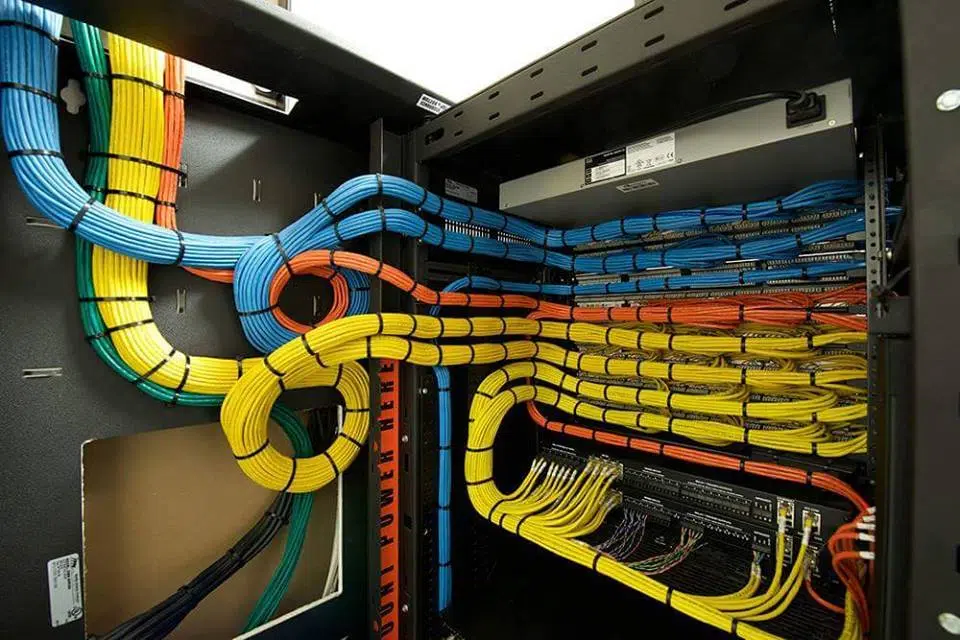
Cabling does not have a simple effect on signals, it influences airflow. Poor bundling will cause blockage of vents and increase internal temperatures by 5-10C and choke CPUs. Open paths should be of priority in server rack airflow management: Front-mount drives should be deployed via horizontal, back-side routing via clean fronts.
Color-coded cables facilitate the identification process, red (primary controllers) or blue (expansions) to promote a significant increase in the cooling of the SAS cable in facilitating easy changes. During a recent data center redesign, a restructuring to dedicated trays reduced mean rack temperatures by 7o C, increasing equipment life. To organize the data center cables, combine it with the layouts of PDU to prevent hot spot spots and allow cool air to access the drives without any hindrance.
Common Installation Mistakes to Avoid
Even the professional falls down– here are the pitfalls to avoid in SAS cable installation errors.
- SAS Generations Mixing: Does SFF-8643 work with SFF-8087? Instant incompatibility. Always correspond; adapters do not work as solutions but as bandaid.
- Excessive Tie Knot: Deforms shielding, impales crosstalk. Tighten with loose Velcro so as not to distort it.
- Crossover Cables in High-Temperature Areas: Cables should not be run close to PSUs, as this will damage them in a few minutes.
- Disregarding EMI Separation: Bundle with Ethernet / power is an invitation to noise. Errors with SAS connections are frequently found here, which appear in the form of random drive terminations.
These cause problems of ghosts in data cable trouble-shooting, which are not recurrent but frustrating. Find them at an early stage using an immediate visual inspection after installation.
Post-Installation Testing and Verification
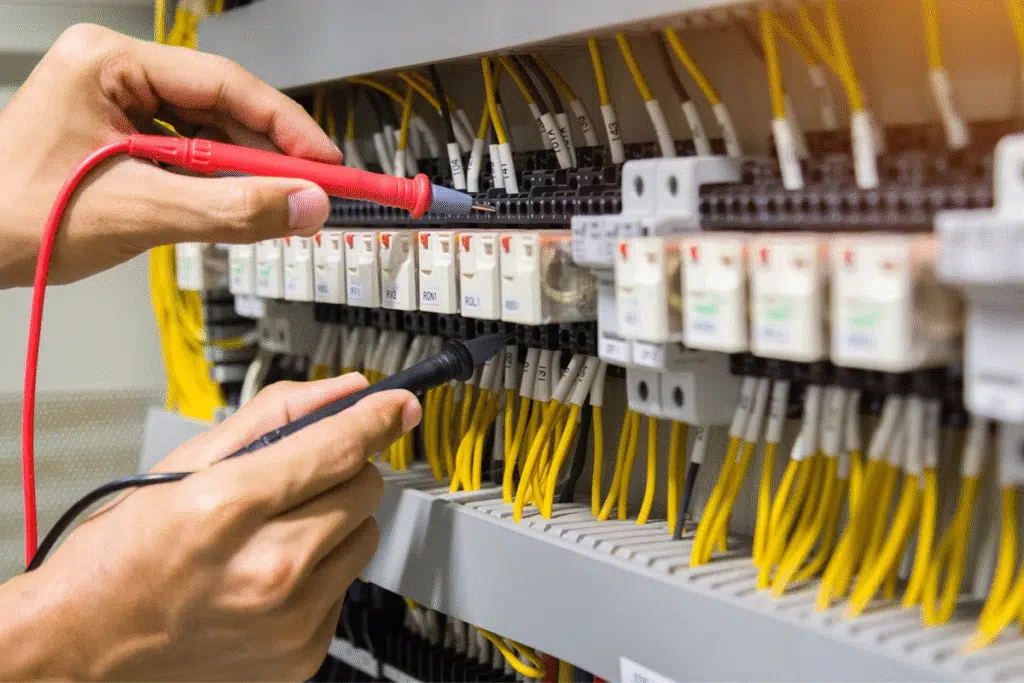
Do not celebrate before victory. SAS cable testing begins with the basics: Continuity Use a multimeter to test opens/shorts across pins. Move to signal integrity test with tools such as the oscilloscopes of eye diagrams- make sure there is wide opening at 12 Gbps and jitter is low.
Checks links: run system boots are used to check links; programs such as MegaRAID Storage Manager are used to highlight errors. In case of cable installation QC, follow UL due to safety, ISO9001 due to processes, and IPC/WHMA-A-620 due to assemblies. I have intercepted 5% of batches of minor errors here, preventing field errors.
Maintenance and Periodic Inspection
SAS cable maintenance provides systems to hum. Crack, connector corrosion crack, and slack route inspections quarterly. Labeling after upgrades- labels can be revalidated after upgrades.
Also change suspect cables before they become discolored, which is an indicator of heat damage. During the inspection of the rack cables, thermal cameras are used to identify the presence of hot-spots. This maintenance cycle of information centers, which has been recorded in the logs, ensures adherence and reduction of uncertainties.
Conclusion — Organized Installation Ensures Reliability
Arranged SAS cable installation guarantees stability, enhanced airflow, and sustainability of the system in the long-run – turning potential headaches into smooth operations. These measures, between prep and maintenance, protect your investments.
Require tested and trusted SAS cable assemblies to your server racks? Get expert solutions with OEM with Dongguan Kingda Electronic Technology Co.,Ltd. As we emphasize the speed of transmission, and quality-focused approach, we are willing to give you the cables that fit your specific requirements.