Uncategorized

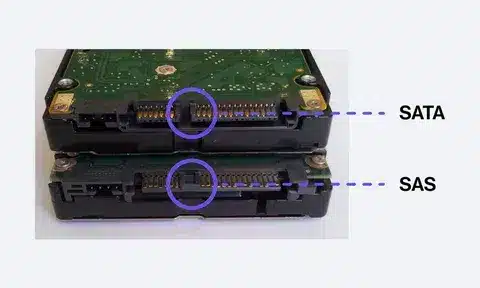
Diagram showing labeled SAS and SATA connectors on storage drives
Uncategorized

SAS vs SATA: Which Storage Interface Wins for Your Needs?

The guide compares SAS (Serial Attached SCSI) and SATA (Serial ATA), two major storage interfaces, to help users choose the right one for their needs. SATA drives are affordable, widely available, and well-suited for everyday computing, offering decent speed and large storage capacity for home users and general business tasks. SAS drives, on the other hand, are built for enterprise environments, delivering faster data transfer rates, higher reliability, longer lifespan, and support for continuous 24/7 workloads. While SAS is the winner for servers, data centers, and mission-critical applications, SATA remains the practical choice for cost-effective storage in personal PCs, laptops, and bulk data archiving. The key takeaway is that the right choice depends on whether you prioritize performance and durability or affordability and capacity.
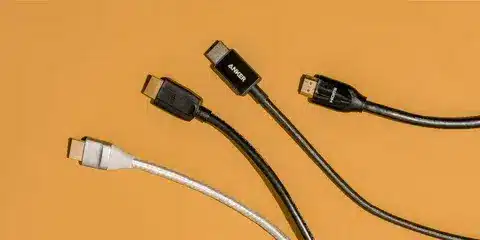
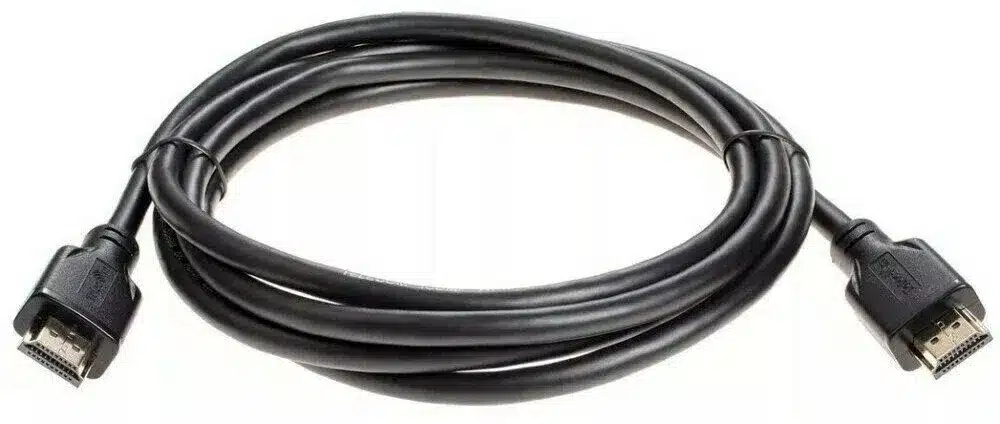
Comparison of HDMI cable types showing variations in design and build quality.
Uncategorized

High-End vs Low-End HDMI Cables: The Truth About Cable Performance

No use spending money on costly HDMI cables, since there are no intermediates in digital signals. You may want to make a study concerning purchasing well certified cables matching its bandwidth requirements, how it was built on investment to the use and save more to invest later in extra higher quality displays and audio device where it counts.

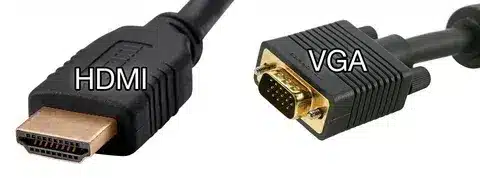
HDMI digital connector compared with VGA analog connector for display connections.
Uncategorized

VGA vs HDMI: Which Connection Should You Choose?

The guide compares VGA and HDMI, highlighting how HDMI has become the modern standard while VGA is now considered outdated. VGA is an analog connection, which can still handle basic video output for older monitors and projectors but lacks support for high resolutions, audio, and digital clarity. HDMI, on the other hand, is a digital connection that delivers both high-definition video and audio through a single cable, supporting features like 4K, HDR, and better refresh rates—ideal for gaming, streaming, and professional displays. The article concludes that while VGA might still be useful for legacy equipment, HDMI is the clear choice for anyone wanting sharper visuals, richer sound, and future-ready compatibility.

Diagram showing serial digital communication process between sending and receiving devices.
Uncategorized

What Is Serial Digital Interface (SDI)? A Complete Guide

Serial Digital Interface (SDI) is a professional video transmission standard widely used in broadcasting and production for its ability to deliver uncompressed, high-quality digital video and audio over long distances with minimal signal loss. Unlike consumer connections like HDMI, SDI uses coaxial cables with BNC connectors, making it more durable and reliable in demanding environments such as live TV, film sets, and studio workflows. The guide explains different SDI formats—from standard definition to 3G-SDI, 6G-SDI, and 12G-SDI—each supporting higher resolutions, frame rates, and bandwidth. It also covers SDI’s advantages, including secure locking connectors, scalability, and compatibility with professional equipment, making it the go-to choice for broadcast-grade video transmission.

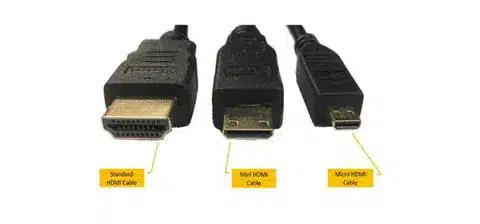
Side by side chart showing HDMI cable types with connector examples
Uncategorized

HDMI Cable Types: Your Complete Guide to Choosing the Right Connection

This guide breaks down the different HDMI cable types and helps you choose the right one based on your devices and performance needs. Standard HDMI cables handle basic HD content, while High-Speed HDMI supports Full HD and 4K, and Premium High-Speed ensures smoother 4K at higher refresh rates with HDR. For cutting-edge setups, Ultra High-Speed HDMI cables certified for HDMI 2.1 deliver up to 48 Gbps bandwidth, enabling 8K resolution, 4K at 120Hz, eARC, and advanced gaming features. The article also covers special variants like HDMI with Ethernet and automotive HDMI. By understanding the differences in speed, resolution, and features, you can confidently pick the right cable for streaming, gaming, or professional displays.

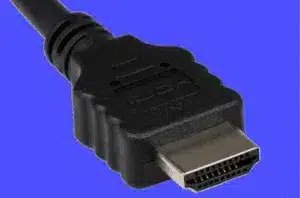
close-up of HDMI cable connector with visible pins
Uncategorized

Do HDMI Cables Matter? The Truth About Cable Quality

The guide clears up the debate on whether HDMI cable quality really matters, explaining that for most users, an inexpensive certified cable delivers the same video and audio quality as a pricey one—since HDMI transmits a digital signal that either works or doesn’t. However, cable quality does matter when it comes to durability, build materials, and supported features. High-quality cables are less prone to wear, interference, and connection drops, and they’re often required for demanding setups like 4K at 120Hz or 8K with HDMI 2.1 features. The key takeaway is that you don’t need to overspend, but choosing a properly rated, well-built cable ensures reliable performance, especially for gaming, home theaters, and future-proofing.

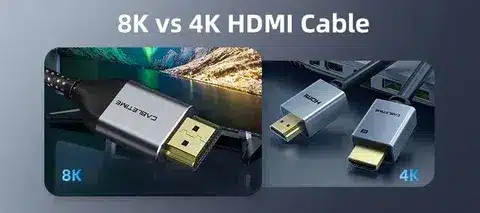
Side by side image showing difference between 4K HDMI cable and 8K HDMI cable
Uncategorized

4K vs 8K HDMI Cables: How Much Do You Know?

The guide explains the differences between 4K and 8K HDMI cables, focusing on bandwidth, performance, and future compatibility. While both support Ultra HD content, 4K HDMI cables are optimized for resolutions up to 4K at standard refresh rates, making them sufficient for most TVs, streaming, and gaming setups today. 8K HDMI cables, built to meet the HDMI 2.1 standard, offer far greater bandwidth—up to 48 Gbps—which supports 8K resolution at 60Hz, 4K at 120Hz, HDR, and advanced gaming features like Variable Refresh Rate (VRR). Even if you don’t own an 8K display yet, choosing an 8K-certified cable can make your setup more future-proof, ensuring it handles the latest consoles, graphics cards, and streaming devices without limitation.

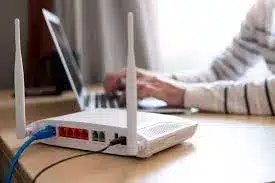
Wireless router with Ethernet cables connected, providing internet through modem cable
Uncategorized

Cable Modems Demystified: How They Work, What to Look For, and Choosing the Right One

This guide breaks down everything you need to know about cable modems, from how they work to what features matter most when buying one. A cable modem connects your home to the internet by translating signals from your internet service provider (ISP) into data your devices can use. Key factors to consider include DOCSIS standards (with DOCSIS 3.1 offering faster speeds and better efficiency), speed compatibility with your internet plan, the number of channels for data throughput, and whether to choose a standalone modem or a modem-router combo. By understanding these essentials, users can pick the right modem that ensures reliable performance, faster speeds, and long-term compatibility with future ISP upgrades.

Extended HDMI 2.1 cable for 4K and 8K high definition setups
Uncategorized

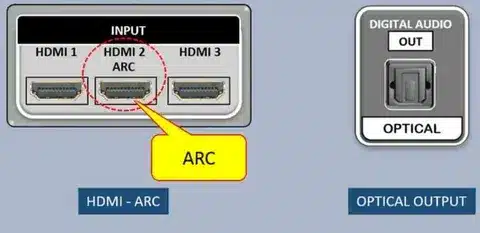
What Is HDMI 2.1? The Future of High-Speed Connectivity

HDMI 2.1 is the latest evolution of the HDMI standard, delivering higher bandwidth and advanced features that make it ideal for next-generation entertainment and gaming. Supporting up to 48 Gbps, HDMI 2.1 enables 8K resolution at 60Hz, 4K at 120Hz, and even higher refresh rates for smoother gameplay, along with features like Dynamic HDR, Variable Refresh Rate (VRR), and Enhanced Audio Return Channel (eARC) for immersive sound. The guide explains how these improvements enhance everything from movies to competitive gaming while ensuring compatibility with future devices. As more TVs, consoles, and graphics cards adopt the standard, HDMI 2.1 is set to become the backbone of high-speed, high-quality digital connectivity.

laptop charging via USB-C cable and adapter
Uncategorized

USB-C Not Charging Laptop? 4 Simple Fixes That Actually Work

When a laptop isn’t charging through its USB-C port, the issue is often simpler than it seems. This guide outlines four practical fixes: first, check whether the charger and cable support USB Power Delivery (USB-PD) and provide enough wattage; second, inspect the USB-C port and cable for dirt, damage, or loose connections; third, update or reset power and battery drivers to resolve software glitches; and finally, test with a different certified charger or cable to rule out hardware faults. By following these steps, most USB-C charging problems can be solved quickly without needing professional repair, ensuring laptops stay powered and ready for use.

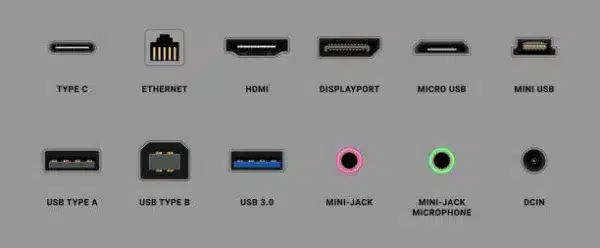
diagram of Type-C, HDMI, DisplayPort, USB-A, USB-B, USB 3.0, Ethernet, and audio ports
Uncategorized

Monitor Ports Guide: Choose the Right Connection for Your Setup

The guide helps users understand the different monitor ports available today—such as HDMI, DisplayPort, USB-C, VGA, and DVI—and explains how to pick the right one based on performance needs. HDMI is widely used for convenience and compatibility, DisplayPort offers higher refresh rates and resolutions ideal for gaming, and USB-C delivers both power and video in a single cable for modern laptops and monitors. Legacy options like VGA and DVI are becoming less common but may still be useful for older devices. By comparing each port’s video quality, refresh rate, audio support, and device compatibility, the guide ensures users can build a setup that balances clarity, speed, and efficiency for work, gaming, or entertainment.

Scroll to Top

GET A QUOTE