
Stop Android Auto Cable Disconnects Once and For All
Do Cable losses with Android Auto annoy you? You’re not alone. Nothing kills a smooth ride like when the navigation stops or your music stops halfway through the song because of a faulty cable connection, particularly when using a USB-C cable.
The thing is that most issues with Android Auto connection are caused by only one villain, the bad quality of cables, or the improper selection of cables. Android Auto is an extremely convenient technology; it will transform your way of driving, but until it becomes as reliable as the USB cable you are currently plugging your phone into your car’s infotainment system.
Why Your Cable Choice Makes or Breaks Android Auto
An Android Auto connection depends on a good USB cable. Android Auto also demands that you have a steady data transmission between your smartphone and the head unit of your vehicle, as opposed to merely having the charging cable. Any breakage in this data flow, be it due to signal degradation, loose connections, or cable erosion, instantly derails the whole Android Auto experience.
The good news? Choosing the correct cable strategy will help to avoid 90 percent of connection issues with Android Auto. In this guide, we will provide 5 practical tips that include the best USB-C cables to make your Android Auto reliability become reality, supported by official Google guidelines and personal user experiences.
Understanding Android Auto Cable Requirements
We should first find out what is different about Android Auto compared to charging your phone before getting into our tips. Not only does Android Auto accept the USB protocol to deliver power, it also allows the USB protocol to handle high-speed data transfer between the phone and the car. This two-fold demand implies that your cable must perform well on both power and data-carrying.
The Data Transfer Challenge
When you set up your phone to Android Auto, you actually add a screen to your automobile’s infotainment. Your phone takes navigation queries, music over the air, voice commands, and interaction with apps, all while ensuring efficient phone charging, sending it to the display in your car in real time. Any delay, noise, or loss of signal in the cable is automatically converted to an awful user experience.
Power Delivery Considerations
At the same time, you need to have a cable that gives you sufficient power to charge your phone as long as you are using it. Android Auto consumes a lot of resources, which can reduce your battery life within a short time, such as GPS, processing power, and screen brightness. A usb c charging cable that is not powerful enough will cause your phone to die at the end of the journey.
Tip #1: Keep Your Cable Short for Maximum Reliability
The Science Behind Cable Length
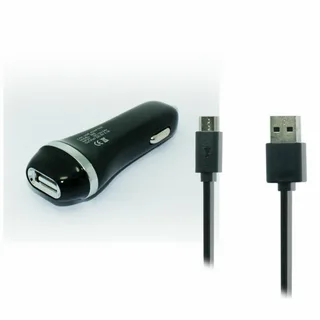
Android Auto relies on the length of the cable more than most people would have assumed. The longer the cables that have to conduct the electrical signals, the greater the degradation of the signals and the higher the resistance they will have, causing the same problems that users usually encounter. This is referred to as voltage drop and is especially an issue with Android Auto and its data-heavy speed.
Less than 1 meter (approximately 3 feet) cables containing USB-C solely are designated by Google as the most successful cables to be utilized with Android Auto to accomplish the highest dependability. This is not an arbitrary recommendation, but rather is the outcome of experimentation with USB signal integrity over an extensive regime of cable lengths.
Why Shorter Cables Win
Android Auto has some benefits in using shorter cables:
Reduced Signal Loss: Every foot of additional cable length introduces potential signal degradation. Android Auto uses USB 2.0 and USB 3.0 protocols that allow for fast data transfer and have a higher signal integrity with shorter ranges.
Lower Resistance: Smaller cables with a proper plug would generate less electrical resistance, which guarantees your phone sufficient power to charge and, at the same time, transmit data.
Fewer Points of Failure: Longer cables will increase the chances of internal wire damage, connector strain, and environmental interference.
Finding the Right Length
The majority of car systems are compatible with 1-3 foot long cables. Measure the distance from your phone’s typical position (cup holder, dashboard mount, or center console) to your car’s USB port and consider the best USB-C options. Allow some room to move around, but don’t be tempted to purchase longer, on the pretext of being certain to need it.
Real-World Length Testing
Users of Android Auto note a significant difference as soon as they replace 6-foot cables with 3-foot options. The change is frequently dramatic–frequent disconnects to rock-solid reliability with this simple change all by itself.
Tip #2: Avoid Cable Extensions at All Costs
The Extension Problem Explained
Although cable extensions may sound like the quickest fix to the inconvenient location of USB ports, they are one of the largest contributors to Android Auto connection problems. Extensions add connection points, length of signal path, and possible impedance mismatches, which cause havoc when transmitting data, and are often made worse by relying on several cables.
Why Extensions Lead to Disconnections?
Extensions are particularly bothersome in the automobile world. Any shocks, vibrations, and movements in your car, particularly when a connector has been used, can cause micro-disconnections of the joint of the extension. These few milliseconds of breaks are enough to reboot your Android Auto session all over again.
Signal Integrity Problems: All connection points in an extension system are possible sources of signal reflection and loss. Android Auto is working on digital signals that can detect such interruptions.
Power delivery problems: Extensions do not typically provide continuous power in the changing electric conditions of a moving vehicle.
Mechanical Stress: The additional point of contact uncovers a weak point that will never stop vibrating and moving as it does in automobiles.
Direct Connection Benefits
These variables are eliminated with a direct cable connection. You have removed a few potential causes of failure by running cables between the phone and the car, and have offered the cleanest signal path you could.
Alternative Solutions
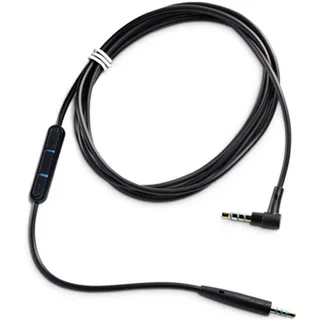
To save yourself the trouble of extensions, which may lead to issues with your cable, consider investing in only one slightly longer cable that you may need to get to your USB port. Any extension arrangement will never be as good as the signal integrity of a single continuous cable.
Tip #3: Choose Newer, Certified Cables for Peak Performance
The Certification Advantage
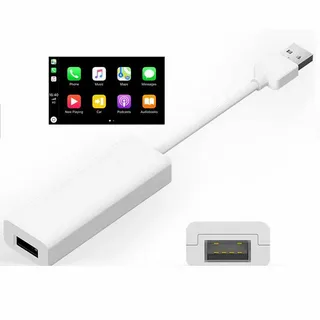
USB cables are not universal, and it becomes too obvious with Android Auto. Specifically, Google recommends the use of certified cables within two years of their use, as well as significant options such as C to USB. That proposal can also be attributed to the accelerating growth of USB standards and the growing complexity of the Android Auto requirements.
Understanding USB Certification
Certified cables are also highly tested in order to confirm that they can deliver certain performance criteria concerning data transfer speed, power delivery, and signal integrity. Such certifications are:
USB-IF Certification: The USB Implementers Forum has rigid requirements concerning cable performance. Certified cables are marked with the official USB logo and have been tested to actual specifications.
High-Speed Data Standards: Android Auto is currently being used with cables capable of transferring and accepting data faster than USB 3.0, although USB 2.0 is also the lowest requirement.
Power Delivery Compliance: Certified cables guarantee correct negotiation of power between your phone and the USB port of your car, eliminating any challenges related to charging.
Why Newer Cables Matter
The cable technology is developing. Newer cables incorporate:
Improved Shielding: Better defense against any type of electromagnetic interference caused by your car’s systems.
Enhanced Connector Design: More secure physical connections that do not become loose due to vibration.
Superior Materials: High-quality conductor materials that do not degrade the signal with time.
Identifying Quality Cables
Find cables with certification logos that are both obvious and have specifications. Never use generic cables whose descriptions are ambiguous, or whose prices look suspiciously cheap – they are not always certified and tested.
Age Considerations
Cables, even of high quality, wear out. Repeated cable bending, connector wear, and internal conductor fatigue can reduce cable performance. When you have Android Auto problems, but your USB-C to USB cable is over two years old, replacing it may be the easy solution you need.
Tip #4: Stick with OEM Cables When Possible
The OEM Advantage Explained
Original Equipment Manufacturer (OEM) cables- cables manufactured by the manufacturer of your phone- have certain benefits as far as Android Auto connectivity is concerned. The cables have been designed and tested to ensure that they work best with the charging and data protocols of your device.
Why Brand Matching Matters
The manufacturer of your phone will design their cables to perfectly fit the specific needs of their device:
Optimized Power Profiles: Optimized Power Profiles: OEM cables are coded to provide power at the precise voltage and amperage that your phone anticipates, minimizing the potential risk of charging issues that may interfere with Android Auto.
Tested Compatibility: Manufacturers test their cables with their devices in a wide variety of situations, including use in the automotive environment.
Protocol Alignment: OEM cables are ensured to be compatible with all the data transfer protocols your phone uses, removing any possible compatibility issues.
Common Cross-Brand Issues
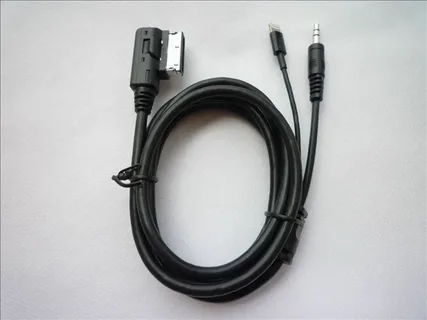
There can be slight problems when the wrong cables are applied:
Samsung Cable with Google Pixel: USB-C specifications are implemented slightly differently by different manufacturers. Using an Android Auto with a Pixel phone will not be fully compatible with a Samsung cable since it cannot fully conform to the fast charging protocol of the phone.
iPhone Third-Party Cables: Lightning cables that are sold by third-party manufacturers are not always certified by MFi (Made for iPhone), resulting in certain connection problems.
Generic Cables + Any Device: The generic cables typically cut corners on both data and power needs, which is why they cannot easily be adapted into new uses like Android Auto.
When OEM Isn’t Available
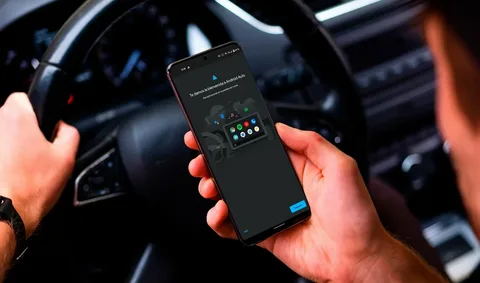
When it is time to change, and you cannot find a new Arbitration cable, it would be nice to remember those brands that offer a good purchase opportunity, and which already gained a good reputation in terms of relevance to other devices. One can much more easily find another one, since many manufacturers are now releasing compatibility lists of their cables.
OEM Cable Investment
OEM cables are already expensive when compared to generic cables, but in many cases, the most economical option when you consider both reliability and durability is a Belkin product. They are worthwhile simply due to the frustration savings.
Tip #5: Trust Proven High-Quality Cable Brands
The Reputation Factor
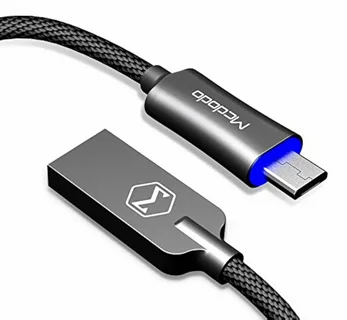
In some cases where OEM cables are not feasible or are out of stock, some third-party brands have also received very positive reviews regarding Android Auto quality. These manufacturers put a lot of money in quality control, testing, and certification processes that ensure consistency in performance, providing various buying options.
Top-Tier Brand Recommendations
Anker: Anker has a reputation for high-quality builds and thorough device testing. Anker cables often surpass the USB standards and have powerful warranties. Their PowerLine division is particularly aimed at durability and data integrity.
Baseus: Good value and high performance on different types of devices. They usually add high-quality features such as reinforced connectors and braided nylon coverings to their cables at competitive prices.
Belkin: A longtime connectivity specialist with extensive automotive testing. Often, Belkin cables are part of OEM accessories, which means that this category of cables should be characterized by the quality and reliability standards.
What Makes These Brands Special
These manufacturers stand out on the basis of:
Extensive Testing Programs: They test their cables with hundreds of device combinations in many real-life situations, including automotive.
Quality Materials: High-quality copper conductors, superior shielding, and long-life connector housings that withstand repeated use.
Warranty Support: Manufacturers who have high warranty levels have confidence in the long-term reliability of their products.
Features to Prioritize
In choosing cables of such brands, consider the following features:
Braided Nylon Exteriors: These can withstand tangling, are extremely durable, and can withstand the constant motion of automotive applications in comparison with standard plastic jackets.
Reinforced Connectors: Seek out cables with strain relief boots and reinforced connection points, which prevent the most common failure points.
High-Speed Certification: Although Android Auto does not need the highest speeds possible for USB, high-speed certified cables tend to reflect the overall higher quality of construction.
Brand Verification
Buy from licensed dealers to be original. The issue of fake cables bearing the name of reputable brands is quite common, particularly for cables used with Android phones, and is usually of poor quality as compared to the reputable brands.
Real User Experiences: What the Community Says
The Reddit Reality Check
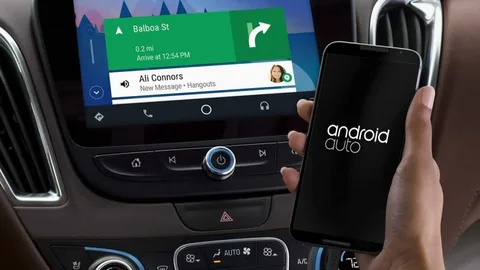
Android Auto Redirect: priceless real-life information about cabling performance on this Android Auto subreddit. A single comment especially reflects the general community opinion regarding Android phone use USB-A cable: “The most common cause of AA connection failures is crappy cables.”
Common User Discoveries
Length Epiphanies: Numerous users claim dramatic improvement on changing 6-foot cables to 3-foot cables. The trend is very similar when we compare various phone models and brands of car wireless adapters.
Brand Loyalty Development: Customers can sometimes begin with inexpensive cables, have issues, and become dedicated customers of the brand that has demonstrated the reliability difference of the USB-C port.
OEM Success Stories: Lots of people find that reinstalling their original cable to the phone will totally remove connection problems that they had been struggling with for months.
Troubleshooting Patterns
The society has established some patterns:
Progressive Degradation: Cables do not normally present any issues, but develop some occasional issues that are permanent cable. Customers tend not to attribute aging of cables to their Android Auto problems, just as they may not think about old cables on a computer.
Sensitivity to the environment: The cheap cables are particularly sensitive to changes in temperature, humidity, and the electromagnetic environment in the vehicle.
Movement Sensitivity: Low-quality cables break more often the more the phone moves around, making them particularly troublesome among drivers who touch their gadgets often when running Android Auto.
Success Metrics
Users who follow the cable recommendations of the community usually report:
- 90%+ reduction in unexpected disconnections
- Faster Android Auto startup times
- More stable audio streaming
- Better charging stability in use.
Understanding Cable Technology for Android Auto
USB Protocol Basics
Android Auto uses USB protocol to transmit data and to deliver power. With these basics in mind, one can readily see why the quality of cables matters so much:
Data Transmission: Android Auto uses the USB 2.0 or later to transfer compressed video, audio, and control information between your phone and your car. This requires error-free and clean streams of data.
Power Delivery: At the same time, the cable should deliver the necessary power (typically 5 V at 1-3 amps) to charge your phone throughout the resource-intensive Android Auto session.
Signal Integrity Requirements
The real-time nature of Android Auto makes it especially susceptible to signal integrity problems:
Latency Sensitivity: Delay due to transmission of information is converted directly into lagging of the update of the navigation cutoffs or audio cutoffs.
Limitations to Error Correction: USB protocols also have error correction, but once there are too many errors, their system gets confused and disconnected.
Bandwidth Requirements: Android Auto applications can require extremely high bandwidth to drive high-resolution output to the screen and multitask a variety of data streams simultaneously.
Automotive Environment Challenges
Vehicle environments present unique challenges for cable performance:
Electrical Interference: USB can be interfered with by electrical systems that are present in most car models today. Well-shielded quality cables prevent this interference.
Temperature extremes: Autos and Trucks have totally different temperatures, and this too can influence cable nature and life.
Mechanical Stress: Continuous vibration, movement, and handling that cannot be maintained on a less expensive cable is known as mechanical stress.
Cable Specifications That Matter Most
Conductor Quality
The internal wires, which will be transferring your data and power, are what make up any USB cable. High-quality cables use:
Copper free of oxygen: Oxygen-free copper also possesses a high conductivity that helps to reduce resistance and signal losses.
Proper Gauge Wires: Appropriate thickness of wires gives an adequate supply of power, and it reduces the voltage drop.
Twisted Pair Arrangement: Here, the wires are laid in an appropriate way, especially in a coiled cable, to reduce the electromagnetic interference and crosstalk.
Shielding Technology
An appropriate shield will assist in protecting your Android Auto signals in the electromagnetically hostile automotive environment:
Foil Shielding: Level 1 of high-frequency interference protection.
Braided Shielding: It is superior when it comes to protection and mechanical strength.
Double Shield: Foil and braided shielding: The most effective shielding against interference.
Connector Engineering
Failure points include the connection points between the cable and device:
Connector Tolerances: Precise production will provide safe connections that will not become loose during movement.
Contact Plating: Gold plating is resistant to corrosion, and provides reliability of connections over time.
Strain Relief: Proper strain relief prevents cable damage at the connector junction.
Common Android Auto Cable Mistakes to Avoid
The Cheap Cable Trap
Most users get into this trap of purchasing the cheapest cable thinking that USB is USB. Such an approach nearly always causes frustration. Cheap cables often have important features removed:
Inadequate Shielding: Poor shielding permits interference that results in random disconnection and sound quality problems.
Substandard Materials: Conduits and connectors of poor quality wear easily during normal operation.
Missing Certifications: Cables that lack certification can not be compatible with USB specifications.
The Length Mistake
The other mistake is that one presumes longer cables are more convenient. In reality, unnecessarily long cables:
- induce signal deterioration that is troublesome with time.
- Design cable management problems which cause damage.
- More vulnerable to interference by other electronic devices?
The Extension Solution
Many users find themselves using extensions when they have to deal with the embarrassing positioning of the USB port, leaving the integrity of the extensions as a side issue. This apparently easy answer usually causes more problems than are solved.
The Brand Mixing Problem
Cable compatibility: It may sound like a trivial matter; however, using cables that are not produced by your phone can cause some compatibility problems that show up as occasional Android Auto malfunctions.
Maximizing Cable Longevity
Proper Cable Management
How you use and store your Android Auto cable is heavily affected by its lifespan:
Avoid Coil Tightly: Coils of internal wire strangle the wire and may lead to early failure.
Light Handling/Removal: When connecting or disconnecting cables and devices, the force used causes damage to the connectors of the cables and the devices.
Temperature Receptiveness: Cables need not be stored at high temperatures that will kill components inside them.
Signs of Cable Degradation
Keep an eye on the following signs that could be indicative of the cable being on the verge of failure:
Intermittent Connections: Internal wires can be damaged if you have to wiggle the cable to keep the connection.
Slow Charging: the lower the charge speed, the more likely that the power conductor is degraded.
Physical Damage: External signs of wear, kinking, or connector damage are typical indicators of internal issues.
When to Replace
Wait not until there is a total failure. Replace cables at the first sign of reliability issues. Quality cable will cost you little about frustration due to poor performance of Android Auto.
The Economics of Quality Cables
Cost vs. Performance Analysis
Although the price of premium cables is much higher at that point, they can be more cost-effective in the long run:
Reliability Value: The lesser the number of disconnections and issues, the less frustration and unsafe driving.
Longevity Benefits: Quality cables outlast the cheap ones by a long way, so replacement will occur less frequently.
Performance Gains: Quality cables have a significantly faster charge and more reliable connections.
Budget Considerations
Android Auto does not have to run bankrupt to perform well. Put your money in cables that will ensure a quick charge and reliability :
Certification: You should ensure that whatever cable you buy is USB compliant.
Brand Reputation: We should rather be dealing with manufacturers that are of good reputation, as per the quality of the product and customer service.
Trademarks: Buy what you need and not what the websites direct you to purchase as premiums.
Quick Summary: Your Android Auto Cable Checklist
| Tip # | Quick Takeaway | Explanation |
| 1 | Keep cable short (≤ 3 ft) | Shorter cables reduce resistance and heat, ensuring faster and safer charging. |
| 2 | No extensions—use direct cable only | Avoid using adapters or extension cables to prevent power loss or potential hazards. |
| 3 | Choose certified, fairly new cables (≤ 2 years) | Certified and newer cables ensure safety, reliability, and compatibility with your device. |
| 4 | OEM cable is usually best | Original Equipment Manufacturer cables are designed for your device and offer the best performance. |
| 5 | Trusted brands (Anker, Baseus, Belkin), good durability | Using reputable brands reduces the risk of faulty cables and improves longevity. |
Advanced Cable Selection Strategies
Matching Cable Type to Phone
USB specification varies on different phones, and has an impact on the choice of cables:
USB-C Phones: Make sure that your cable is compatible with the particular USB-C connection that your phone employs (USB 2.0, 3.0, or 3.1).
Lightning iPhones: Check MFi certification to achieve good iPhone connectivity.
Older Micro-USB Devices: Although now less prevalent, it is important to make sure that sufficient power delivery requirements are met.
Car-Specific Considerations
The USBs implemented in different vehicles may differ; this may require a different cable:
USB Port Power Output: There are cars that offer limited power output that can be maintained only with efficient cables.
Port Placement: Port location may be awkward, and you may be tempted to reach to more distant cables, but resist this temptation.
Multiple Ports: There may be more than one USB port in your car, and you should check which one supports the best Android Auto experience.
Future-Proofing Your Cable Investment
When choosing cables that are going to be used over the long term, consider the following factors:
USB Standard Evolution: Some cars offer limited power output that can be maintained only with efficient cables.
Build Quality: Port location may be awkward, and you may be tempted to reach for more distant cables, but resist this temptation.
Warranty Coverage: There may be more than one USB port in your car, and you should check which one supports the best Android Auto experience.
Troubleshooting Persistent Connection Issues
Beyond Cable Quality
When you have installed all our cable recommendations and you are still having a problem, then you need to consider these other reasons:
Phone Case Interference: Thick Cases may be an obstacle to secure connector seating.
Port Contamination: USB ports may contain dust, lint, or debris that can interfere with connections.
Software Issues: Sometimes, Android Auto troubles are the result of app or system software and not hardware.
Systematic Troubleshooting
When problems persist:
- Test Multiple Cables: Check that it is not device or car related.
- Check Physical Connections: Ensure clean, secure connections at both ends
- Update Software: Check that your Android Auto software and phone are up to date.
- Try Different Ports: In case there are other USB ports available in your car, test them.
When to Seek Professional Help
Android Auto can have problems that are only diagnosed by professionals:
Vehicle System Problems: Car infotainment systems may also experience faults that impact the USB connectivity.
Phone Hardware Issues: USB ports or charging circuits are broken or damaged and need a professional repair.
Compatibility Problems: There are certain phone/car combinations that have compatibility problems that cannot be resolved without special solutions.
Making Your Final Cable Decision
Prioritizing Your Needs
How do you plan to use your cable?
Daily Commuter: Prioritize reliability and durability over cost savings.
Occasional User: Basic certified cables of well-known brands are of good value.
Tech Enthusiast: Advanced cables that have higher quality in terms of features can offer slight performance improvements.
Budget Allocation
Invest appropriately in your Android Auto setup:
Essential Tier ($10-20): The certified cables of reputable brands are of great quality and will serve most users well.
Premium Tier ($20-40): Greater durability, higher quality materials, and longer warranties among the demanding users.
Professional Tier ($40+): Cables with specialized features that are enthusiast or commercial.
Transform Your Android Auto Experience Today
One of the factors that can make or break an otherwise frustrating or fantastic Android Auto experience can be as simple as cable choice. With the below five tips in mind, namely, keeping cables short, no extensions, using certified newer cables, preferring OEM, and using the trusted brands, you can eradicate the vast majority of connection problems that plague Android Auto users.
Also, the Android Auto cable is an important part of your car experience. Poor cable selection should not lead to a decrease in your navigation reliability, sound quality, or even general driving safety. The cost of a good cable is money well spent in convenience, reliability, and peace of mind whenever you are on the road.
Start Testing These Tips Right Now
Need to use Android Auto with more trust? The first step is to calculate your current cable length and compare the quality of the cable against what we recommend. Others see a radical difference just by switching to a higher quality and shorter one.
Did you ever test any of these cable optimization tips? We want to hear about your experiences with Android Auto connections in the comments below- your experience has the potential to guide more drivers through their connection frustrations and help them enjoy more comfortable and reliable rides.
Summary
Android Auto relies heavily on a stable cable connection, and the right choice can eliminate many of the common issues drivers face, such as random disconnections, laggy performance, or apps failing to load. This guide emphasizes five key tips: choose a high-quality USB cable built for data transfer, keep the length short for better stability, ensure compatibility with fast data standards like USB 3.1 or USB-C, opt for well-known and durable brands to avoid signal drops, and regularly check for wear or damage that could disrupt performance. By following these essentials, users can enjoy smooth navigation, music streaming, and voice controls on Android Auto without frustrating interruptions.