
Your iPhone 15 Pro is capable of transferring 10 Gbps for data transfer speeds, but the cable included by Apple only supports 480 Mbps, limiting compatibility with many usb c accessories . Certified USB-3 cable (10 Gbps and above) – Upgrade to the maximum performance of your Pro model.
The Problem Every iPhone 15 Pro Owner Faces
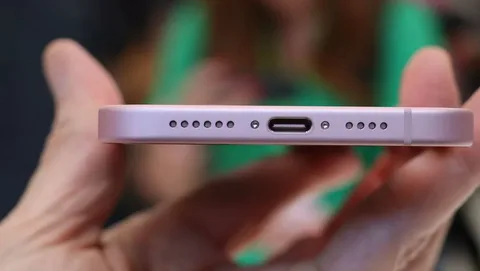
You have unpacked your brand-new iPhone 15 Pro, which now has a USB-C port. You connect it to your computer move those large video files, giant ProRes videos or photo libraries of 4K, but the data transfer speeds remain inadequate … and nothing. The transfer works on the same slow pace as your old Lightning cable.
The twist: It is not your phone which is the bottleneck; it is the charging cable Apple has packed in the box.
What’s Actually Happening With Your iPhone 15 Pro
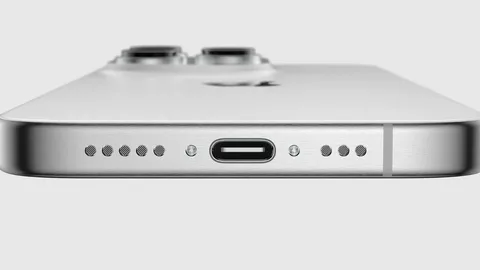
The iPhone 15 Pro and Pro Max are equipped with USB-C ports that support USB 3.2 Gen 2 technology, capable of transfer speeds up to 10 Gbps. That’s more than 20 times faster than the old Lightning standard.
The iPhone 15 Pro and Pro Max both have USB-C ports with USB 3.2 Gen 2 technology which has a maximum transfer speed of 10 Gbps. That is over 20 times faster than the previous Lightning standard.
However, here is where Apple does a typical thing, the USB-C cable they provide in the box only supports USB 2.0, which goes up to approximately 480 Mbps, limiting compatibility with many usb c accessories . It is the same bandwidth restriction that bedeviled Lightning cables over the years.
Even more frustrating for most people ? It can be said that the standard iPhone 15 and iPhone 15 Plus are permanently limited to USB 2.0 speeds, whatever cable you are using. Apple only made high-speed USB-3 available in the Pro models.
Why This Speed Difference Actually Matters
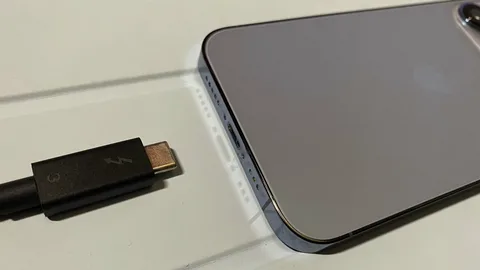
You may not notice the difference, especially when you are only charging your phone or transferring a couple of photos. But among power users, this speed difference is enormous:
Transfer times will be reduced to a few minutes, compared to hours when photographers and videographers had to work with video materials in ProRes and collections of RAW photos. A 10GB ProRes file that transferred in 3 minutes with a good USB-3 cable would transfer in more than an hour with the supplied USB-2 cable, highlighting the stark differences in transfer speeds .
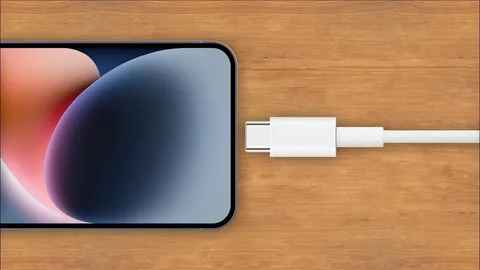
The higher bandwidth also opens the door to new capabilities such as 4K video output to external monitors and high-bandwidth peripherals that cannot utilize the bandwidth provided by USB-2.
How to Unlock Your iPhone 15 Pro’s True Speed
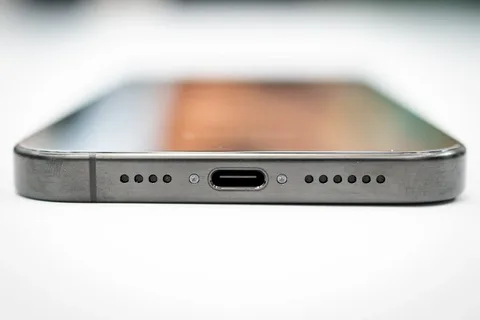
.You can easily get the most out of the USB-C port in your iPhone 15 Pro when you understand what to look at:
Step .1: Check Your Model only the iPhone 15 Pro and the iPhone 15 Pro Max can achieve USB-3 speeds. With the regular iPhone 15 or 15 Plus, upgrading your cable will not make a difference, since those models are only hardware-capable of USB-2.0the .
Step 2: Get the Right Cable The correct cable should be a USB-C cable rated at 10 Gbps or higher, which is essential for effective usb power delivery . This should be listed on the packaging as USB 3.1 or USB 3.2 or should bear the SS (SuperSpeed) logo. These cables will be between 15-30 dollars with a good manufacturer.
Step 3: Consider Thunderbolt for Future-Proofing Thunderbolt 3 or 4 cables can be used without any issues with the iPhone 15 Pro, especially for connecting to external displays, and they leave even more room free in the future. Although they are overboard in terms of what the current iPhone can do, they will make sure that it is as compatible with other USB-C devices and the usb c connector s possible.
Real-World User Experiences
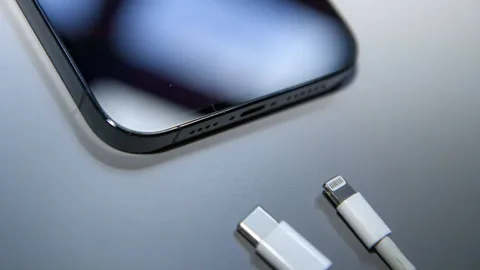
The distinction is at once felt in practice. Users often complain that transfers of files via the cable provided with it feel like Lightning, that is, slow and irritating with large files.
One pattern was: “I believed my new iPhone was faulty until I noticed that the cable was the issue. The difference in speed is not immediately noticed by many users until they accidentally apply a high speed cable to a different device.
Surprisingly, even smaller speed gains have been noted following the release of iOS updates by some users, implying the possibility of software optimizations also contributing to the speed of transfers.
Smart Cable Buying: What to Look For
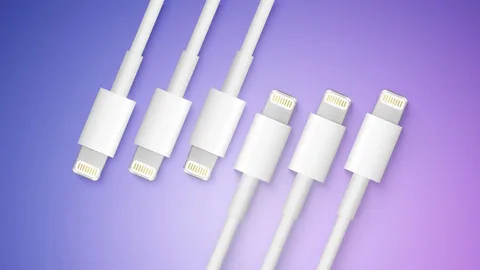
Look at the speed rating. The cable packaging must indicate clearly 10 Gbps, USB 3.1, USB 3.2 or display SuperSpeed logos. Unless the speed is specified, it is assumed it iThese are the recommendations to follow when purchasing a faster USB-C cable:
also releases optimizations periodically, and can increase transfer speeds, so to ensure you are getting the maximum possible performance, it is always best to make sure you are up to date with software updateBuy from established brands Find UL, USB-IF or other established safety and performance standards. Certified cables offer hardware security to your equipment and your information new usb c port.
Check the speed rating clearly. The cable package must display clearly 10 Gbps, USB 3.1, USB 3.2, or display SuperSpeed logos. Unless it is stated otherwise, the speed is USB-2.0.
A did not turn to USB-C in the iPhone 15 range simply because of the European regulations. It symbolizes the final phase of the Lightning and the implementation of Apple-wide universal chargingvoid suspiciously cheap options. USB-3 cables should be made of higher quality materials. Very cheap cables are not delivering the stated speeds and can even break your machine.
Keep iOS updated. Apple does periodically update optimizations which have the ability to enhance transfer speeds between your phone and computer. and thus it is best to keep up with software releases to be sure you are getting the best speeds possible same charging cable.
The Bigger Picture: Apple’s USB-C Transition
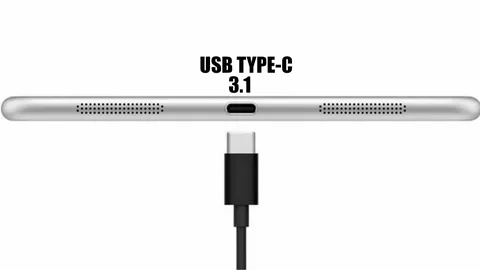
Apple did not simply change its phones to use USB-C because of the European regulations. It is the final day of the Lightning period and an indication that Apple intends to adhere to the universal charges system android phones.
The shift also brings on new iPhone accessory opportunities and workflow possibilities previously hampered by the bandwidth constraints of Lightning. The shift to high-speed USB-C makes the iPhone look more like a component of the production pipe to creative professionals, turning it into a relatively powerful camera, while also being compatible with devices like ipads usb pd.
The iPhone is not the only device impacted by the USB-C transition: The change will fundamentally alter the way the iPhone fits into professional workflows and high-performance accessories ipad pro.
Bottom Line: Get the Cable Your iPhone 15 Pro Deserves
iPhone 15 Pro can transfer data at amazing speeds, but that is only possible when you provide it with the appropriate cable. The cable provided may be sufficient to charge a phone, but to seriously charge a phone, that is to transfer big files, a decent USB-3 cable is a big improvement necessary other devices.
The faster speed is not only apparent but also the game-changer to anyone who has to work with big media files on a regular basis, especially when you need the power of an ssd to transfer them quickly. or one who needs to transfer data in and out of the iPhone 15 Pro on a regular basis.